I'm genuinely curious if anyone has written a jsfl file or something that makes the UI for Macromedia Flash 8 darker.

At 1/20/25 06:19 PM, ntilcheff wrote:No, because it is impossible.
Alas, I am doomed to be living in the light.
At 1/20/25 08:24 PM, Nabella wrote:At 1/20/25 06:19 PM, ntilcheff wrote:No, because it is impossible.
Alas, I am doomed to be living in the light.
Well, one of the things you actually can do is to set your stage background color to something less eye strain inducing than white. Back in 2012, DuDuL would do animation livestreams and he had his backgrounds set to dark grayish green. I asked him why that was, and he replied that it was to make long animating sessions easier to the eye. I had a slight epiphany, ngl.

At 1/20/25 11:56 PM, Czyszy wrote:
Well, one of the things you actually can do is to set your stage background color to something less eye strain inducing than white. Back in 2012, DuDuL would do animation livestreams and he had his backgrounds set to dark grayish green. I asked him why that was, and he replied that it was to make long animating sessions easier to the eye. I had a slight epiphany, ngl.
I already do this with a darkish grey on the background and pure black for the Actionscript panel.
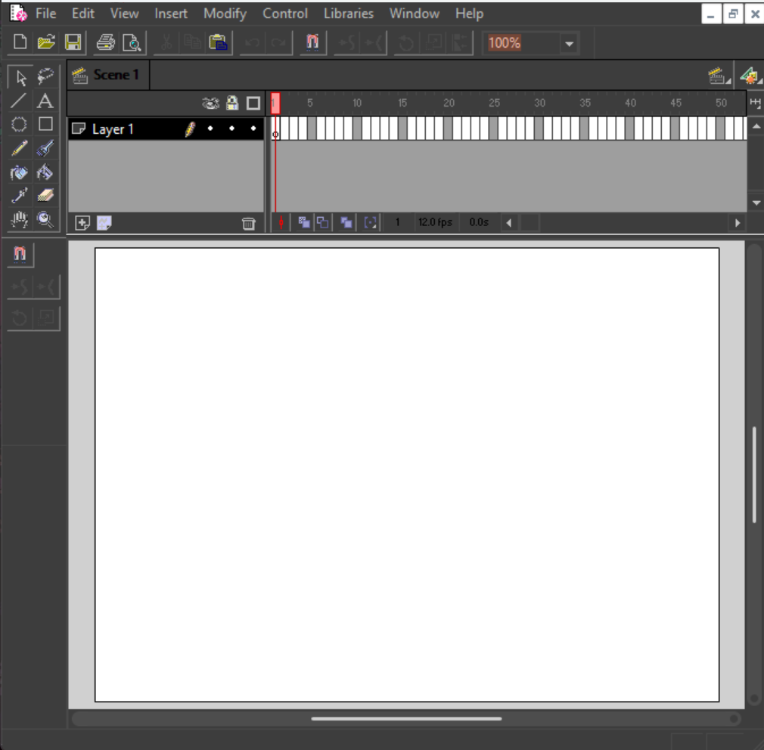
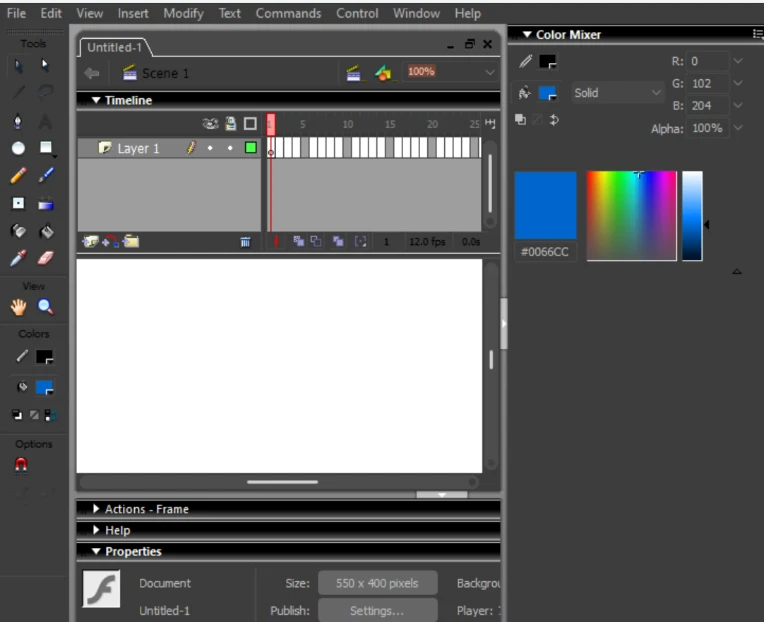
Well it isn't exactly possible, but you can get a custom windows theme that does it for you!
Examples.
Flash 4
Flash MX 2004
At 1/22/25 10:20 PM, TinFoi wrote:Well it isn't exactly possible, but you can get a custom windows theme that does it for you!
Examples.
Flash 4
Flash MX 2004
This is a really good idea but does this work with Flash 8? I'm fiddling with the theme on Windows 10 and it doesn't seem to be affecting it all.
Changing theme color changed the interface color for all programs at least since Windows 98, it does that in Win7 too. Never used 10. But as far as I know it should act the same way.
At 1/22/25 10:20 PM, TinFoi wrote:Well it isn't exactly possible, but you can get a custom windows theme that does it for you!
Examples.
Flash 4
Flash MX 2004
Nevermind, I am a computer n00b.
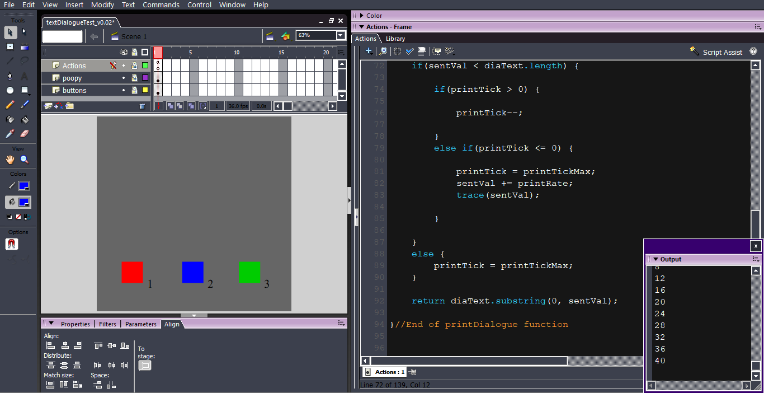
I found a setting called High contrast and it does exactly what you said.
At 1/23/25 03:08 PM, Nabella wrote:At 1/22/25 10:20 PM, TinFoi wrote:Well it isn't exactly possible, but you can get a custom windows theme that does it for you!
Examples.
Flash 4
Flash MX 2004
Nevermind, I am a computer n00b.
I found a setting called High contrast and it does exactly what you said.
noob
At 1/23/25 03:11 PM, TinFoi wrote:
noob
Less of a noob than I was before.
At 1/26/25 01:01 PM, Nabella wrote:At 1/23/25 03:11 PM, TinFoi wrote:
noob
Less of a noob than I was before.
I love that theme!
At 1/20/25 05:24 PM, Nabella wrote:I'm genuinely curious if anyone has written a jsfl file or something that makes the UI for Macromedia Flash 8 darker.
Try emailing Macromedia. I think they're a little slow to reply to emails but I'm sure they'll respond /j
spread love❤️

At 1/22/25 10:20 PM, TinFoi wrote:Well it isn't exactly possible, but you can get a custom windows theme that does it for you!
Examples.
Flash 4
Flash MX 2004
What is it called
SP
At 12/8/25 03:53 PM, TinFoi wrote:It's been a while, must've forgotten by now.
don’t you get banned from interacting with old BBS?
As Seen on FORC, Beanie is Dead, Boiledmilkz, NGTV, Visia and Chroma, FAITH, Talida and Brand, DreamCatcher, Nrnr Grows Up, Kazuki Toons Show
At 12/8/25 04:29 PM, AlexToolStudio wrote:At 12/8/25 03:53 PM, TinFoi wrote:It's been a while, must've forgotten by now.
don’t you get banned from interacting with old BBS?
Since when was that a thing?
At 12/8/25 09:54 AM, SpaceCowboy113 wrote:
What is it called
Look for the High Contrast setting in Windows and fiddle with the pallette until it looks sort of right.
At 12/8/25 04:39 PM, TinFoi wrote:At 12/8/25 04:29 PM, AlexToolStudio wrote:At 12/8/25 03:53 PM, TinFoi wrote:It's been a while, must've forgotten by now.
don’t you get banned from interacting with old BBS?
Since when was that a thing?
I don’t know happened to me once
As Seen on FORC, Beanie is Dead, Boiledmilkz, NGTV, Visia and Chroma, FAITH, Talida and Brand, DreamCatcher, Nrnr Grows Up, Kazuki Toons Show
At 12/8/25 04:53 PM, AlexToolStudio wrote:At 12/8/25 04:39 PM, TinFoi wrote:At 12/8/25 04:29 PM, AlexToolStudio wrote:At 12/8/25 03:53 PM, TinFoi wrote:It's been a while, must've forgotten by now.
don’t you get banned from interacting with old BBS?
Since when was that a thing?
I don’t know happened to me once
Glad it isn't me!


